Refresh the page

33" to 49" Monitors

33" and larger monitors are ideal for office work, gaming, graphic design programmes, and everyday home use.
 

Continue
All from 180
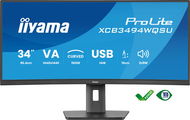
34" iiyama ProLite XCB3494WQSU-B1 - Monitor
34" iiyama ProLite XCB3494WQSU-B1
Discounted -3 % 282.90 € 293.90 €
Currently Unavailable
Buy with code ALZADAYS10DE 254.61 € The discount code gives the option of applying a discount on a given product when entering the code in the shopping cart. Erhalten Sie 10 % Rabatt mit dem Code ALZADAYS10DE. Das Angebot gilt bis zum 15. September 2025 oder solange der Vorrat reicht und ist nur für Endverbraucher bestimmt.
Monitor - VA, curved, Ultra Wide QHD 3440 × 1440 (21:9), 120 Hz, matte display, 0,4 ms, adjustable height, speakers, HDMI and DisplayPort, VESA
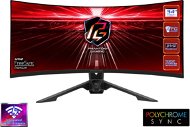
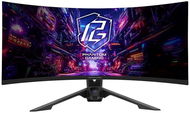
34" ASRock PG34QRT3A Phantom Gaming - Monitor
34" ASRock PG34QRT3A Phantom Gaming
Discounted -8 % 379.90 € 415.90 €
Currently Unavailable
Buy with code ALZADAYS30DE 265.93 € The discount code gives the option of applying a discount on a given product when entering the code in the shopping cart. Erhalten Sie 30 % Rabatt mit dem Code ALZADAYS30DE. Das Angebot gilt bis zum 15. September 2025 oder solange der Vorrat reicht und ist nur für Endverbraucher bestimmt.
Monitor - VA, Ultra Wide QHD 3440 × 1400 (21:9), 180 Hz, matte display, 8 bit, 1 ms, FreeSync, adjustable height, HDR, speakers, rear lighting, HDMI and DisplayPort, USB data...

33" to 49" Monitors - additional info

How to choose the right LCD Monitor

Do you need a widescreen monitor or one with a classic 4:3 aspect ratio? Widescreen monitors are ideal for watching movies, playing games, and browsing the internet, while classic 4:3 monitors with diagonals of 17"-19" are ideal for office work. As for the display surface, you can choose from matte or glossy. Glossy displays deliver enhanced colour contrasts and better readability while matte displays reduce screen reflection.

It's not only the number of pixels on the screen (display resolution) that determines the quality of a monitor, the size of a monitor's dot pitch is also important. Comparing monitors of two different sizes but of the same resolution, you'll find that the larger one produces a coarser image. This can be slightly reduced by font-smoothing functions, which are integrated in most operating systems. To get the most out of your monitor, you'll need to adjust the screen resolution, as the native resolution might differ from model to model.

Response time indicates how many milliseconds it takes for a pixel to change - the lower the response time, the smoother the change. Brightness determines the luminous intensity of an image and higher contrast ensures blacker blacks and whiter whites.
 

In addition to basic D-Sub analog inputs, modern monitors also feature digital DVI inputs. Some monitors offer multiple options together with HDMI inputs. Before you select a particular model, be sure to check whether it is compatible with your graphics card.

We recommend choosing a monitor with a larger diagonal size and higher resolution. Opt for a model with a lower response time, higher brightness and contrast, and check that the monitor features DVI/HDMI inputs.


No longer sold

Try our cookies

Alza.cz a. s., Company identification number 27082440, use cookies and other data to ensure the proper functioning of the website and, with your consent, also, among other things, to personalize advertising and the content of our websites. By clicking on the “I understand“ button, you agree to the use of cookies and the transfer of data regarding the behavior on the website for displaying targeted advertising on social networks and advertising networks on other websites.

More information
I understand Detailed settings Reject everything
P-DC1-WEB05