
Canon PIXMA MG2551S
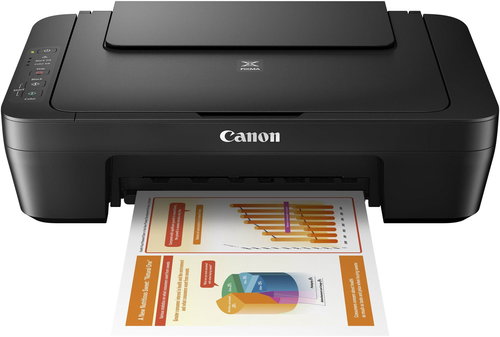


Canon PIXMA MG2551S
The Canon PIXMA MG2551S inkjet printer is a compact multifunction device ideal for everyday home printing, copying and scanning. Thanks to its simple controls, compact size and FINE technology, it offers high-quality printing of both photos and standard documents without any complex installation. The Canon PIXMA MG2551S supports A4 colour printing with a resolution of up to 4800×600DPI. It reaches print speeds of approximately 8ipm for black and white and 4ipm for colour, which is sufficient for typical home use. The USB connection ensures stable communication with your computer, and the auto power on technology makes everyday use easier.

Key features of the Canon PIXMA MG2551S inkjet printer
- 3-in-1 multifunction device – print, copy and scan
- Print resolution up to 4800×600DPI
- FINE technology for high-quality documents and photos
- Black and white print speed up to 8ipm
- Colour print speed up to 4ipm
- USB connectivity
- Support for optional XL ink cartridges
- Auto power on when printing starts
- Quiet mode for comfortable home operation
- Compact size, ideal for any home
- Supports Canon photo paper
- Rear tray for up to 60 sheets
- Simple replacement of FINE cartridges
- Easy-PhotoPrint Editor and Creative Park software
- Low weight of approximately 3.5kg
Compact home multifunction device
The Canon PIXMA MG2551S combines a printer, copier and scanner in one compact device ideal for home use. Its small dimensions mean it fits easily on a smaller desk or shelf. The simple controls make everyday printing of documents, school materials or photos easy. A practical feature is the quiet mode, which is ideal for a home environment.

High-quality printing and FINE technology
The printer uses FINE technology with a pair of ink cartridges for sharp text and high-quality colour printing. A maximum resolution of up to 4800×600DPI enables the printing of detailed photos as well as standard documents. It supports printing on both plain and Canon photo paper, including 10×15cm and 13×18cm formats. Optional XL ink cartridges help reduce costs for more frequent printing.


Simple connection and economical operation of the Canon PIXMA MG2551S printer
The Canon PIXMA MG2551S uses a high-speed USB interface for a stable connection to your computer. The auto power on function activates the printer when a print job is sent. The device supports both Windows and macOS operating systems, and the package includes software for printing and scanning. Energy consumption in standby mode is very low, at around 1W.
Specifications
Type
Function
Connection
Supported Paper Sizes
Printing parameters
Dimensions
Equipment
Colour
Package includes
Services
Power outlet type
| Code: | PC293a05t |
| Warranty: | 21 months |
| Links: | Producer's Website: |
| Manufacturer information |
Canon was founded in 1933. Its original title translated to "portable laboratory optics". The Japanese company has been headquartered in Tokyo since its inception. Canon is particularly associated with the production of digital cameras and accessories, where they remain the leading innovator and producer of imaging solutions. Aside from digital cameras, the company also operates in the production of office equipment, particularly copiers or printers. 
|