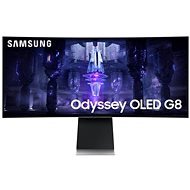
Interested in reviews of 34" Samsung Odyssey G85SB? It got 4.2 out of 5 stars from our customers. Find specific customer reviews of 34" Samsung Odyssey G85SB below. We will appreciate if you also share your experiences with 34" Samsung Odyssey G85SB after purchasing.
I was surprised that the monitor has its own OS and can be used as a multimedia center, TV, etc. I was only picking it as a PC monitor, I didn't even notice it, but a really good idea, for example to play Youtube, Netflix etc. one doesn't even have to turn on the computer..: -)
Lovely design
Good workmanship
Stability basically ok given the size and decency of the stand. Compared to other widescreens, it's still great.
Excellent colours and viewing angles.
Problem to get the sound in the monitor through the display port, through hdmi everything ok. I would expect this to work out of the box. A combination of re/installing various drivers managed to get it working.
I' ve been using the monitor for 2 months now and it' s been a perfect experience so far. The picture is beautiful sharp games look fantastic on it. It has no problem with the combination of HDR + VRR functions at 175 hz. The smart menu after the updates is still not very fast, but it is functional enough to play Ytb, Netflix, O2 TV and the like. I use this function in the monitor quite often. Turning on the monitor when turning on the PC works flawlessly, probably fixed by one of the updates. The only disadvantage is that you have to be lucky to get a piece, I had 1 piece, I had to return it due to the squeaking of the coils, it was really noticeable. Now I have another piece and it doesn' t beep at all. Perhaps one more mini disadvantage, the external source which is really quite large.
Beautiful picture
OLED panel
Smart menu
175hz including VRR + HDR
Also works well with PS5 (HDMI) VRR + HDR
Mini / micro ports
You have to be a bit lucky
Complicated cleaning of the special layer of the OLED panel
The monitor as a whole is terrible. It takes an incredibly long time to wake up, and it happens that he fails to wake up. Restarting the PC will help. This doesn't happen to me on any other monitor.
Overall, the monitor software is terrible
Absence of USB hub
Mini versions of connectors only
After 14 days, I'm finally returning it because it's really annoying to have to hard reboot my PC 2-3 times a day. I'd rather pay extra and wait for the next generation from Dell.
According to tests, significantly more susceptible to burn-in than panels from LG.
Bug in DP if you use it so the monitor itself does not turn on, you have to be connected to HDMI and then everything works without a problem (It's a problem in the "Game" mode of this model, Samsung still has not fixed)
I don't normally write reviews, but now I have to. I don't understand how the Koreans at Samsung think, but when I buy a 30k monitor, I want a damn monitor, not a TV that can't act like a monitor. The monitor does not turn on with the PC, it does not wake up even after just turning off the screen when idle. The graphics driver must be restarted. When the PC shuts down, the monitor continues to light up and reports a loss of signal on the input. That it has a controller is nice, but if you have a samsung TV, the controllers will clash, so if you want to turn on the TV, the monitor will turn off and you have to turn it on with the button on the monitor otherwise you would turn off the TV again... my nerves... never again, I have already ordered Alienware, I hope I will not want to jump out the window, as here with this thing: )
Super responsiveness, field of view, handling fast movements
HDR
Beautiful full colours
Excellent viewing angles
Design
Easy installation
The monitor will not turn on with the PC even after waking up from sleep mode or turning off the display
Collision with other samsung drivers
The item came as unpacked, but the monitor was scratched on the frame except for the metal
Despite the significant shortcomings, I can recommend the monitor for its perfect picture. In normal use (unless someone is bombarding you with BT connection requests), the negatives are not so apparent. Some might argue that a monitor at this price should be perfect in every way. I'm not gonna argue.
Perfect picture and colours. I recently bought as a secondary monitor with similar parameters (Mobiuz for 16tis. ) and that's hard to watch compared to this one
Perfect viewing angles
Black is indeed black, but it took me a while to get used to the possibly higher white brightness (especially with HDR - but I guess it depends on the content)
HDR seems to be high level, it's just harder to find games that have it at a good level too. The huge difference between HDR and nonHDR I e.g. recorded at Hogwarts Legacy. Without HDR, the game looks like it's 10 years old.
Cool even for work, text is not deformed in any way and can be read easily as on other devices
Almost everything else:
small number of connectors/mini and micro versions only (but this can be considered a +)
the inability to turn off Bluetooth, THIS is a big fail, the manuals say nothing, I've looked through the menu but found nothing. I imagine that neighbours or even passers-by can make it virtually impossible for you to use the monitor comfortably - anyone can try to connect to the monitor. Then a notification will appear in the top right corner to tell me whether I want to enable or disable the connection.
The monitor can't turn itself on when I turn on the PC (I could have sworn that it worked for the first few days/weeks and even now once in a while it does) - otherwise I have to use the remote control to turn it on
Every once in a while (most often when turning off/on HDR in Win) it happens that the very bottom of the screen (practically a 1mm strip across the bottom of the screen) starts flashing in all colors - just restart HDR in windows and it's fixed
0 ×Report
Automatic translation
Try our cookies
Alza.cz a. s., Company identification number 27082440, use cookies and other data to ensure the proper functioning of the website and, with your consent, also, among other things, to personalize advertising and the content of our websites. By clicking on the “I understand“ button, you agree to the use of cookies and the transfer of data regarding the behavior on the website for displaying targeted advertising on social networks and advertising networks on other websites.