
Reviews Ubiquiti NanoStation M5
Interested in reviews of Ubiquiti NanoStation M5? It got 4.6 out of 5 stars from our customers. Find specific customer reviews of Ubiquiti NanoStation M5 below. We will appreciate if you also share your experiences with Ubiquiti NanoStation M5 after purchasing.
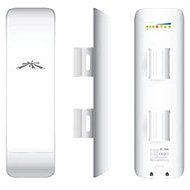
Ubiquiti NanoStation M5
In stock > 5 pcs
89.90 €
Add to Cart

Petr, Staré Hradiště u Pardubic
Rated 12/05/2025, variant Ubiquiti NanoStation M5
Verified purchase - review from a price comparison website
works
a bad cable can reset the device to factory settings
0 ×Report
Automatic translation

Pavel, Zdice
Rated 12/08/2024, variant Ubiquiti NanoStation M5
Verified purchase
A handy device
Many modes
quick setup
0 ×Report
Automatic translation

Petr, Praha 4
Rated 30/03/2018, variant Ubiquiti NanoStation M5
Verified purchase
Perfect quality and functionality is second to none
0 ×Report
Automatic translation

Miroslav, Brezno
Rated 23/05/2016, variant Ubiquiti NanoStation M5
Verified purchase
transfer rate
Appearance
0 ×Report
Automatic translation

Customer
Rated 01/10/2015, variant Ubiquiti NanoStation M5
Verified purchase
the best wireless in the category. used by many ISPs
the supplied adapter is only for 100mbit network. You can buy 1Gb.
0 ×Report
Automatic translation

Pavel, Velké Přítočno
Rated 09/01/2014, variant Ubiquiti NanoStation M5
Verified purchase
Price
Power
Functions
0 ×Report
Automatic translation

Stanislav, Štefanová
Rated 21/11/2013, variant Ubiquiti NanoStation M5
Verified purchase
It does exactly what it is supposed to, I use it as a PtP link for about 300m and so far I have not seen the speed drop below 200Mbit even with a weaker burke. With a stronger burst there may be short breakdowns but it's a radio so it's OK
0 ×Report
Automatic translation

Jan, Velke Přílepy
Rated 15/08/2013, variant Ubiquiti NanoStation M5
Verified purchase
works
0 ×Report
Automatic translation

Libor, Plzeň
Rated 03/02/2013, variant Ubiquiti NanoStation M5
Verified purchase
comprehensive solution for Wifi connectivity in the 5GHz band
high transfer rate
clear web interface
constant support from the manufacturer
excellent design
quality workmanship
easy assembly
2x LAN output
the device cannot be restarted remotely if you are unable to connect via the web. The button is right in the device. Other manufacturers solve this with a button located in the POE adapter.
0 ×Report
Automatic translation