
Reviews ONYX NOTE AIR 4 C
Interested in reviews of ONYX NOTE AIR 4 C? It got 4.4 out of 5 stars from our customers. Find specific customer reviews of ONYX NOTE AIR 4 C below. We will appreciate if you also share your experiences with ONYX NOTE AIR 4 C after purchasing.
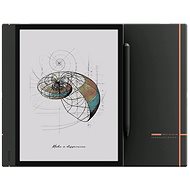
ONYX NOTE AIR 4 C
Discontinued

Jaroslav, Boskovice
Rated 18/12/2025, variant ONYX NOTE AIR 4 C
Verified purchase
I've owned the tablet for a year now, and I mainly use it for notes and reading electronic documents when I want to avoid a lit screen (e.g. at bedtime). For me, a very solid device and fulfills what I wanted it to do: write, draw sketches when I don't want it to light up and long battery life.
E-ink color display - nicely made, displays information well and the refresh rate is also pleasant, the colors are more pale, which I do not mind because I like such colors (they look nice when underlining in notes), the tablet can be nicely used in daylight or room light
Android 13 - this was the main reason I bought this tablet instead of the Remarkable Paper Pro, thanks to this I can use apps like calendar, google keep, etc.
Processing - the tablet is thin, light and pleasant to use
Writing - the writing experience is great, the writing feels distinctly like writing on paper, after a recent update, writing works instantly when you touch the pen and has almost instant response
Native notebook app - supports creating notebooks in which you can paginate in different ways, choose a template or make/download your own and use it, has a large variety of pens/pencils/highlighters etc., can also erase by crossing out or draw geometric shapes, can also tag content, but I haven't tried this feature, can also add anchors to content - useful when you have 100x pages in one notebook for navigation
Thick left frame - a minus for some, for me it is useful when I read or even in a critical case I can hold the tablet more firmly (for left-handed people there is an option like on other devices to rotate the image, so you can have the frame on the right and hold it with your right hand)
Export + Sync - The page/entire notebook can be exported and at the same time you can sync documents for free after logging into boox account
Updates - the authors are always updating the software, so they take proper care of it
BooxDrop - something like airdrop to boox devices with others on the same network, works well and quickly, starts the server on the tablet and e.g. I connect to it on my laptop and select the documents I want to download
Battery life - in idle mode it discharges minimally, in active typing it lasts me a week
Poor quality pen - the pen is made of fragile plastic, so it is easily damaged, due to this I got a crack at the part holding the nib and sometimes when I take off the nib cover I take out this part and it is hard to remove
Pen tip cover - who invented this concept? instead of a better pen design, they decided to add a removable pen cap, which is easy to lose + thanks to it, the pen does not stick best on the tablet with a magnet
Updates - as well as being a plus, the minus is that some updates can break some features, and this makes the tablet harder to use, the next update is usually a long wait
Typing refresh rate compatibility - Typing-enabled apps do not support refresh rate typing like native apps, so typing in third-party apps will not be as responsive
Without cover - you have to buy the cover yourself and it costs about a thousand, something that may not please everyone, as for the cover, it raises the height of the tablet, so it may not be especially on the right edge (for left-handed left edge) to write on it well
Display glare - if I use the tablet directly under the light, in some angles the light reflects like a glare, so I can't see what's on the screen
Price - since it is not a variant of LED display, this technology is more expensive to produce, this will affect the price as such
0 ×Report
Automatic translation
Anonymous customer
Rated 03/10/2025, variant ONYX NOTE AIR 4 C
Verified purchase
The screen is very dark and cannot be used outdoors without a backlight.
There is no separate backlight time setting - to save battery, only the sleep mode of the whole device can be set, which is almost unusable.
0 ×Report
Automatic translation

Jiří, Praha
Rated 26/09/2025, variant ONYX NOTE AIR 4 C
Verified purchase
It is difficult to read in daylight in the apartment. "White" is very dark. So even in the daytime you have to turn on the backlight.
The colors are so bland that "pastel" is a strong word.
I returned it the other day (and tried all the display settings)
0 ×Report
Automatic translation

Jakub, Praha 8 - Bohnice
Rated 25/06/2025, variant ONYX NOTE AIR 4 C
Verified purchase
The pencil doesn't need charging, so you can keep it somewhere else. It's just with the price, I'm afraid I'll forget it somewhere.
Really big flashlight
Notes have great software
Hopefully all the options that went into reading the book have added
Good refreshrate on the reader
Colours
Android > you can install 3rd party apps, for example allowing you to read manga
The pen doesn't stick well to the magnets on the tablet. (holds, but falls out easily)
Not-so-clever pencil position, as it gets in the way.
The response to the pencil has a delay of about 0.5 seconds sometimes
0 ×Report
Automatic translation
Helena, Ostrava
Rated 17/05/2025, variant ONYX NOTE AIR 4 C
Verified purchase - review from a price comparison website
The tablet is great for taking notes and reading books thanks to the e-ink technology, which doesn't actually glow itself and therefore saves your eyes. At the same time, in lower light conditions, the display has a backlight (due to the lower contrast, I use it more than I would like). That said, the tablet is not primarily for viewing videos and pictures, although it is possible thanks to the subtle color scheme that the display has.
I like to use screen splitting, converting notes to text, thanks to android I can also use the apps I have on my mobile (google keep, docs, email etc). I use the browser occasionally when downloading books or when I need to research something. At the same time, the simplicity of the display and limited usage options helps me focus on my work. And I also found that I read a lot more and a lot more happily. I recommend it!
E-ink technology makes it pleasant to read.
The ability to take notes, which the notes app can convert to text very well. Even my horrible scrawl.
Adroid - unlike ReMarkable, thanks to android I can use for example my favourite google keep, MS word, google docs, email etc.
Possibility to expand memory
A good app for reading books
The ability to split the screen when I'm working on, for example, email and want to take notes from it
Display backlight
I have a bit of a problem with the low contrast. Thus, I often use the display backlight. But that's about the only weakness of this tablet.
0 ×Report
Automatic translation
Rostislav, Mohelnice
Rated 17/03/2025, variant ONYX NOTE AIR 4 C
Verified purchase - review from a price comparison website
works
0 ×Report
Automatic translation
Company
Rated 10/03/2025, variant ONYX NOTE AIR 4 C
Verified purchase
The writing is very enjoyable.
File transfer works efficiently via BooxDrop
Corporate cloud services (onedrive, googleDrive,. ) cannot be connected for safety reasons. Security risk
does not even meet the requirements of the GDPR. It is not registered with any organisation, it contains no contacts - so zero accountability. It also uses developer lines, which is suspicious to say the least for a production application.
0 ×Report
Automatic translation

Jan, Plzeň
Rated 08/03/2025, variant ONYX NOTE AIR 4 C
Verified purchase - review from a price comparison website
Very good work tablet, although a colleague got it and I kept last year's Tab Ultra C Pro myself, which has better white without backlight and better battery life.
A very good combination of work tool and book reader
Usable colour display that doesn't tire the eyes
Solid ergonomics
Display could be whiter (without backlight)
0 ×Report
Automatic translation
Company
Rated 24/01/2025, variant ONYX NOTE AIR 4 C
Verified purchase
The tablet has a solid design, however, color e-ink is still an unfinished technology that has its flies and is really for die-hard fans of new technologies. Compared to monochrome, it has many disadvantages, especially the price itself, contrast and sharpness. The white rendering is more grey than white, the colour rendering itself is very washed out and limited, and from the way the technology is laid out, there is an easy to see grid on the surface that allows the colours to show through. The display is also almost unusable without a backlight even in normal ambient light, so you'll have to keep it on all the time, which will eat up battery life and last for hours rather than weeks. And in comparison (with the old Kindle I own) the font seems more blurry too). Therefore, in principle, it will never be as close to paper in a book as a classic black and white e-ink. Maybe in a few years we'll see a proper colour e-ink.
Solid workmanship, design
Fingerprint reader
Backlight with adjustable colour
Android and the associated versatility of the device
Colour e-ink display technology still has shortcomings
0 ×Report
Automatic translation

Customer
Rated 29/12/2024, variant ONYX NOTE AIR 4 C
Verified purchase
- display quality
- many functions
- useful and well-functioning stylus
- insufficient informative value of the manual. It is probably the product of not very intelligent artificial intelligence. A device with a large number of features would certainly deserve a better manual
- too high price
0 ×Report
Automatic translation