
Reviews Kobo Libra Colour White
Interested in reviews of Kobo Libra Colour White? It got 4.7 out of 5 stars from our customers. Find specific customer reviews of Kobo Libra Colour White below. We will appreciate if you also share your experiences with Kobo Libra Colour White after purchasing.
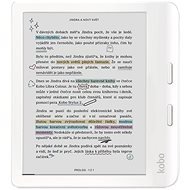
Kobo Libra Colour White
In stock > 5 pcs
268.90 €
Add to Cart

Customer, Ingolstadt
Rated 18/12/2025, variant Kobo Libra Colour White
Verified purchase
Excellent screen quality
Color quality
Possibility to manage books in collections (unlike Kindle)
Buttons for navigation
Book store
Lightweight
Absence of out-of-box support for Cyrillic languages
0 ×Report

Jana, Plzeň 1
Rated 07/08/2026, variant Kobo Libra Colour White
Verified purchase
Very satisfied so far, just a bit disappointed with the contrast of the colour display, but all these readers have that. The colours are nice when reading books with photographs, but if you're just reading fiction, I'd probably go for a black and white one, because I have to have the backlight on even when the lights are on.
Faster than the older model I had, it's really nippy.
uploading books via Google Drive
Convenient controls on the side, can be used one-handed, so you don't cover the text and don't click by mistake.
The option of a remote control, so you don't have to hold the reader at all (I'll definitely be using this in bed in the winter)
The colour display allows you to read books with photographs and comics, so you can tell what's in the picture (diagrams with different colours). It’s a shame the colours aren’t brighter to make it look like actual print on paper; this slightly spoils the experience with colour comics, but for technical books, it’s quite useful.
The reader can look up any word on Wikipedia so you can clarify anything. The page it opens for Czech words is also in Czech.
The option for colour highlighting, I won't use it personally, but it's great for students.
The dark mode and the option for the backlight to change according to the time of day is a great upgrade for night-time reading.
the games that Kobo used to have (Sudoku) are no longer there
At home, I have to have the backlight on (because of the colour display); on the older black and white model, just having a lamp on would be enough.
the Czech-English dictionary is still missing
I miss the audiobook playback and text-to-speech function (so that an artificial intelligence can read a section out loud). Adding a speaker and this function wouldn't be such a problem. The fact that you can't listen to your own audiobooks and it doesn't have text-to-speech is just a software issue and they could update it.
0 ×Report
Automatic translation

Customer, Dětřichov nad Bystřici
Rated 09/07/2026, variant Kobo Libra Colour White
Verified purchase - review from a price comparison website
Really lovely, brilliant for reading
0 ×Report
Automatic translation

Vendula, Čelákovice
Rated 26/11/2025, variant Kobo Libra Colour White
Verified purchase
After 8 years, I have been looking for a replacement for the Kindle PaperWhite 3 with the understanding that Amazon never will. The requirements were seemingly unpretentious - a custom OS, a display larger than 6", a warm backlight and fast response. Of the black-and-white ones, only the PocketBook InkPad 4 and Kobo Sage - both quite expensive - finally fulfilled this. So I searched in colour too, quite pessimistic, but to no avail. Text legibility is the same as on the old PaperWhite 3 from 2017. Maybe the current black and white readers are better, I can't compare, but I was incredibly pleasantly surprised. The larger display is noticeable, I won't go back to 6". Even the text without pictures is more pleasant, not to mention the pictures, even if only illustrative. Thanks to the diagonal and a decent resolution, even comics can be read (tried The Witcher and Walking Dead, previously on 6" it was necessary to zoom in, thus unreadable). For magazines it would need an even larger diagonal (8" maybe? ), but what has clear graphics is also possible. What surprised me even more is the speed - everything responds immediately (within e-ink technology), there is no waiting for anything, redrawing is very fast. On the Paperwhite each click was 1-2 seconds, here it's fractions. The only thing that bothers me is having to find a way to run the reader offline. Without connecting to wifi and registering with Kobo, it won't even start. But just connect it to the PC after selecting the language and in the \ directory. kobo\Kobo\ edit in the eReader file. conf SideloadedMode=false to true. The reader turns on without the Kobo store and can be used fully offline. However, this option should be available by default without the need to force it through configuration files.
Can be operated completely offline without wifi connection and registration with Kobo, more in the text
Simple OS > long battery life, no dependency on Google
Level of workmanship and materials
Physical buttons for turning pages
Holding area with slightly curved edge - a great ergonomic feature
On button on the back
When switched off, it displays the cover of the book being read - a perfect feature
Warm display backlight
Very brisk response and book opening
Colour display shows even black and white text perfectly
Lightweight
I would welcome a third button to call up the menu or quick scroll
Requires wifi connection and registration without editing the configuration file
0 ×Report
Automatic translation

Radomír, Úvalno
Rated 15/07/2025, variant Kobo Libra Colour White
Verified purchase
I was picking out a new reader for a few years old PocketBook. I wanted 7", the ability to hold from the side, and physical buttons to scroll through pages. It does. I'll take the colour display as a bonus, but I could easily do without it. I had a bit of trouble creating an account when I started, because for some reason it only succeeded on the third time. Compared to the old PocketBook, it's much more nimble. But the Kindle's response is better.
fast reactions
simple operation
colour display
higher price
0 ×Report
Automatic translation

Marie, Ostrava
Rated 04/02/2025, variant Kobo Libra Colour White
Verified purchase - review from a price comparison website
For me the best reader on the market now: it is colourful, it can speak Czech, I can take it to the bath (waterproof), it supports epub and thus changes of typography, it is light. I recommend buying a magnetic case.
Possibility to use as a notebook (notes)
Easy upload of books via Dropbox, or to purchase hl. also directly in the Kobo shop on the tablet using the qr code
When switched off, the colour cover of the last book read remains
With the stylus I can mark text in about 4 different colours, otherwise the stylus has many options including rubberizing the top of the pen.
Infinitely adjustable display brightness
Possibility of "shelves"- differentiation of books by topic: sorting into files according to your own imagination
worse working with annotations using the stylus
At first I wanted to return it because the colour pictures were flickering a lot when I was flipping through them, but few adult books are full of pictures (cookbooks, encyclopedias), so I changed my mind about returning it, considering the other features and options
0 ×Report
Automatic translation

Dalibor, Praha 10
Rated 30/01/2025, variant Kobo Libra Colour White
Verified purchase - review from a price comparison website
After KL2 and Clara Colour third kobo in the household. I think that's a solid recommendation
It doesn't make coffee
0 ×Report
Automatic translation
Anonymous customer
Rated 31/12/2024, variant Kobo Libra Colour White
Verified purchase
I'm switching from a 6th generation kingle paperwhite and it's a super upgrade. Buttons to flip through, beautiful display, usb c and 32 gb is just awesome
quality display - looks even more like paper
usb c
32 gb
easy installation of the dictionary into a folder
buttons for turning the sheet
unnecessarily expensive stylus, but the one from microsoft for surface also works
0 ×Report
Automatic translation
Anonymous customer
Rated 21/12/2024, variant Kobo Libra Colour White
Verified purchase
I really liked my Paperwhite, but it had a few drawbacks and Kobo solves them all elegantly. After a few days, I can't imagine going back.
0 ×Report
Automatic translation
Kristýna, Brno
Rated 14/07/2024, variant Kobo Libra Colour White
Verified purchase
I will compare with Pocketbook and Kindle. I' ve had a Kindle twice, the last time a Pocketbook. Then I saw this reader, which is perhaps the best price-performance ratio. It is beautiful in appearance and functions too. I wanted a reader where you can change not only the brightness, but also the color temperature of the display. This reader does the trick and I' ve been in awe of it for quite some time now. I' ve never had a better one. What I rate really positively is the philosophy of the manufacturer, who declares that spare parts can be purchased and their electronics are repairable. I also found a few flies, but from now on I will only be loyal to this brand. Plus, of course, you can also use the scissors for notes, in sheets, to write a diary in it. just be careful, it doesn' t work without a stylus (and you have to buy it).
beautiful display
great features
the sidebar is great to hold on to
the image flips automatically, so you can alternate hands while reading
the combination of buttons and touchpad is great for me
option to change the color of the display to yellow-orange - great for the evening, ideally with a black display and white font, does not draw the eyes
design
spare parts can be purchased and repaired
less battery life
I also wanted notes and instead of a diary, I still have reservations in this regard
heavier
the stylus must be purchased
0 ×Report
Automatic translation