
Reviews Acemagic T8-PLUS N100 (16+0) Silver
Interested in reviews of Acemagic T8-PLUS N100 (16+0) Silver? It got 3.8 out of 5 stars from our customers. Find specific customer reviews of Acemagic T8-PLUS N100 (16+0) Silver below. We will appreciate if you also share your experiences with Acemagic T8-PLUS N100 (16+0) Silver after purchasing.
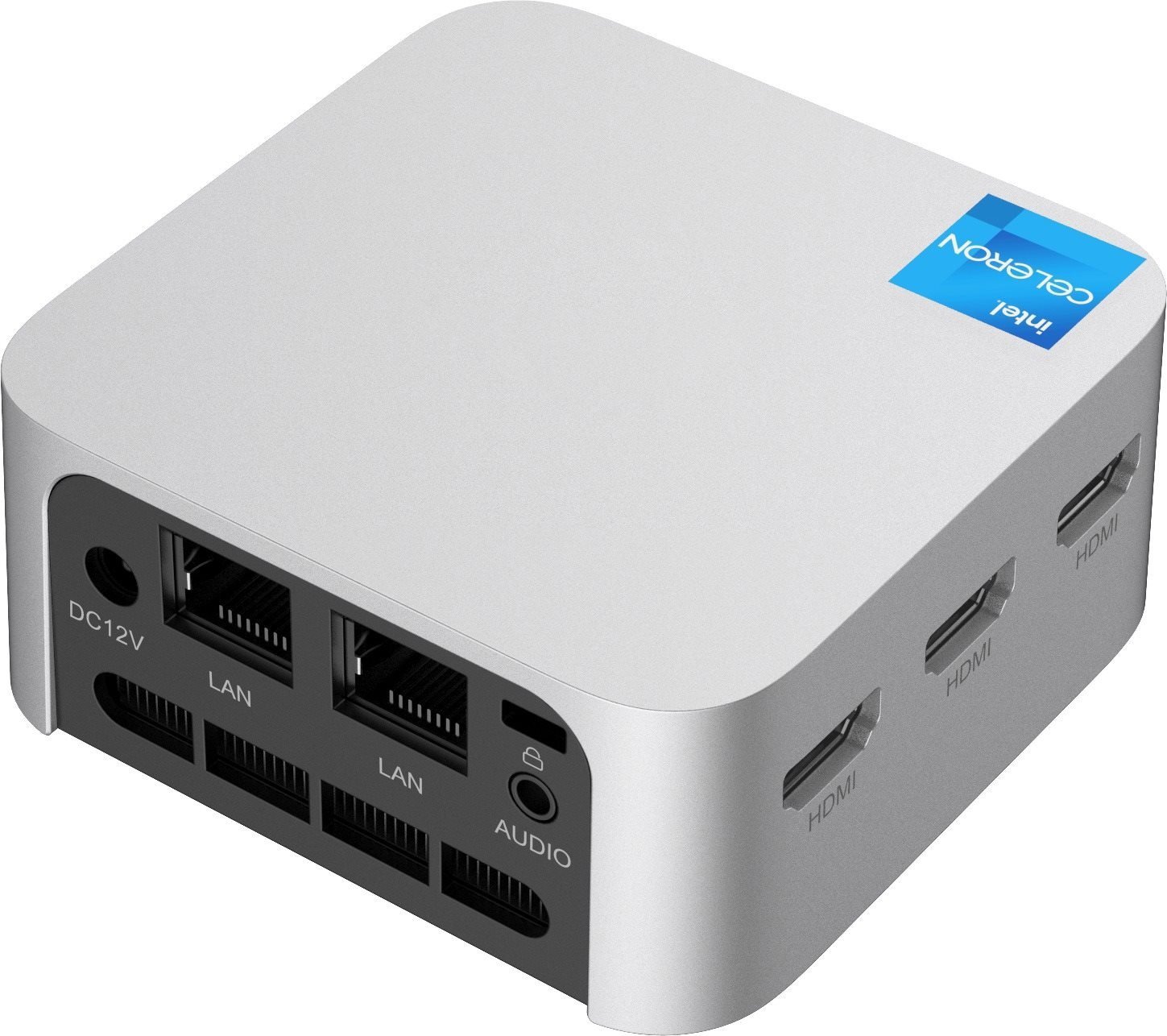
Acemagic T8-PLUS N100 (16+0) Silver
Discontinued

Customer, Rychnov u Jablonce nad Nisou
Rated 26/12/2025, variant Acemagic T8-PLUS N100 (16+0) Silver
Verified purchase - review from a price comparison website
It has its disadvantages which directly linked to the advantages. Just a smaller ssd 2242, built-in operating memory with no option to change. Poor bios, but seda live.
I've been racking my brain: input to bios via ESC, auto start after power on: State After G3 - S0 State.
Quiet running
Size
Price
0 ×Report
Automatic translation

Petr, Ostrava
Rated 13/12/2025, variant Acemagic T8-PLUS N100 (16+0) Silver
Verified purchase
In the analysis, beware:
* The cover holds the barrel Jack. Just a 0.5mm bigger hole around the jack and it would be easy. The necessary strength and traction.
* Antennas and bios battery are glued to the silver cover. See photo. They have short handcuffs.
* The screw to attach the disk is two-piece but difficult to disassemble (see picture) I first tested the RAM for size. It's 16BG. In bios underclocked to 3200MHz. He can handle more. By default LAN2 is disabled in the bios. During installation, only one extreme HDMI worked. I forgot to test the others. BT and Wifi also didn't work when installing Win10. Require drivers to be reinstalled. ****** glitch *******
After about 2 hours of operation, (1 hour after installing Win 10) the blue deaths started popping up. Cause - disk disconnection. Recheck wiring, update disk firmware, disable idle on PCI. nothing helped. Tested by boot tests outside Windows.
It always disconnects after a few minutes, regardless of activity.
After disconnecting the disk it is necessary to turn off the power to the PC, otherwise it will not appear in the BIOS. Sometimes it won't even turn off. The disk was SK Hynix BC511. Extended OEM drive for laptops from 2020. Thoroughly tested on 2015, 2021 and 2024 PCs. No problems. Because of the use of an unused SSD, I bought this cheap PC as an alternative to the Raspberry 5. It was supposed to run Home Assistant and multimedia. The error is either in HW or bios. Such a widespread and several years old model should be supported, or a list of unsupported drives/controllers should be provided. If it's a bios issue, it won't be resolved due to lack of support. I'm coming back.
Small and decently powerful
Noiseless off load, like a quieter laptop under load.
CPU temperatures max 60°C
In the package there is HDMI cable (about 0,5-0,7m) and mounting plate (about vesa 100) and set of screws
On mine, the SK Hynix BC511 M.2 NVME drive kept disconnecting. I'm coming back.
Little space in the case, so the disk gets hot. The case was supposed to be perforated.
Lack of support for non-drivers on dropbox. That doesn't seem credible. You won't find this model on the manufacturer's website.
Cheap 12V/2.5A old type power supply. Bigger and warmer. Too bad it doesn't have USB-C.
Does not have a reset button
Few usb and unnecessary HDMI and a second 1GB/s LAN. But that's not a flaw.
Impractical SSD size. You can mount the 2230 if you use a reducer or DIY bracket (a piece of plastic with a screw hole. )


0 ×Report
Automatic translation

Matyáš, Praha
Rated 11/12/2025, variant Acemagic T8-PLUS N100 (16+0) Silver
Verified purchase
luxuriously light and small
0 ×Report
Automatic translation

Petr, Praha
Rated 22/10/2025, variant Acemagic T8-PLUS N100 (16+0) Silver
Verified purchase
With this mini-pc I replaced an older home server, a classic minitower with 70Watt consumption. Now I have a more powerful one with a power consumption of about 15Watts and it is more compact. I just have the drive in an external usb box, however it works reliably. For me, a better performance-consumption ratio than the Raspberry Pi 5. I have it connected to two monitors and sometimes use it as a desktop PC. I could simply plug in another monitor, but that would be pointless.
Consumption
power
size
3x hdmi
2.5 inch drive cannot be inserted
only 3 usb
0 ×Report
Automatic translation
Miloslav, Osek u Duchcova
Rated 23/06/2025, variant Acemagic T8-PLUS N100 (16+0) Silver
Verified purchase
Problem with drivers for ACEMAGIC T8 PLUS N100. Probably bad HW, Bluetooth doesn't work even with Realtek drivers for W10, W11
Cannot install the bluetooth driver (tried with W10 PRO, W11 PRO.
The ACEMAGIC T8 PLUS N100 drivers cannot be downloaded from the official website.
Problem with Wifi and Bluetooth Realtek RTL8852BE Combo.
I got the wifi to work with Lenovo drivers, I couldn't get Bluetooth to work
0 ×Report
Automatic translation
Marta, Plzeň
Rated 22/02/2025, variant Acemagic T8-PLUS N100 (16+0) Silver
Verified purchase
small, fast, low power consumption, great performance, cheap, easy installation, full-featured computer, cons I don't really know
0 ×Report
Automatic translation

Petr, Kladno
Rated 18/02/2025, variant Acemagic T8-PLUS N100 (16+0) Silver
Verified purchase
Used it as a Proxmox server and after a few days of use so far complete satisfaction. The device is quiet. With a little bit of skill you can also use a 2230 format SSD.
Small and quiet
Small offer of SSD format 2242 on Alza
0 ×Report
Automatic translation
David, Hrusice
Rated 13/02/2025, variant Acemagic T8-PLUS N100 (16+0) Silver
Verified purchase
So in the end I have to change the rating to 1 star. The computer has (at least my piece had) a spoofed RAM (it shows 16GB, it has 8GB). I appreciate Alza's approach for a prompt and hassle-free refund.
Intel N100 processor - so relatively powerful with very low power consumption.
Tiny and quiet
Richly equipped with ports (RJ45, HDMI, USB-A)
It doesn't contain any disc (which is what I was counting on), but to put it in, you have to get through 2 "layers" of screws. Which wouldn't be a problem if a mini narrow screwdriver, not included, wasn't needed to disassemble the second layer.
M.2 2242 Nvme (instead of the more common 2280). These are much more expensive, but with a bit of skill you can use the 2280, except that it can't be put back together (which doesn't matter for functionality).
0 ×Report
Automatic translation
Rudolf, Dubné
Rated 11/02/2025, variant Acemagic T8-PLUS N100 (16+0) Silver
Verified purchase
Intel N100 (N150) are super x86 low-power CPUs.
Pictures on alza.cz correspond to reality
Really small box, about half the size of a classic Mini PC
Very well designed cooling
Consumption (with M.2 inserted) 8W at rest, 12W under load (where does the RPi go)
12V power supply instead of the still widespread 19V (can be powered via PoE splitter)
For the price, it's a blast.
It only supports M.2 2242 (2280 won't even fit as it's small), but it's great that it has M+B Key.
Too bad it doesn't have at least one USB-C
Not so easy to disassemble (you need a longer mini screwdriver, 2 covers have to be removed to insert the M.2)
BIOS has almost no options (to e.g. To run LAN, must the "Network Stack for UEFI" be enabled in BIOS? ")
0 ×Report
Automatic translation

Martin, Brno
Rated 10/02/2025, variant Acemagic T8-PLUS N100 (16+0) Silver
Verified purchase
For the price, a great solution for a small office PC or home server with very little power consumption. At the time of writing, there are errors in the text description: - Inside is the Intel N100, not the N95. - M.2 slot supports both NVMe and SATA SSDs
- The PC comes with a Windows 11 Pro license
small size
very low power consumption (realistically below 10W)
M.2 slot supports both NVMe and SATA SSDs
WIndows 11 Pro license included
active cooling
a little more difficult to dismantle
0 ×Report
Automatic translation