
Reviews 34" GIGABYTE G34WQC2
Interested in reviews of 34" GIGABYTE G34WQC2? It got 4.8 out of 5 stars from our customers. Find specific customer reviews of 34" GIGABYTE G34WQC2 below. We will appreciate if you also share your experiences with 34" GIGABYTE G34WQC2 after purchasing.
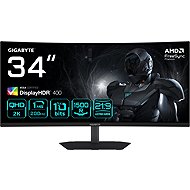
34" GIGABYTE G34WQC2
In stock > 5 pcs
244.90 €
Add to Cart

Petr, Neratovice
Rated 08/09/2026, variant 34" GIGABYTE G34WQC2
Verified purchase - review from a price comparison website
Bright picture
VESA support
Low response time
True colour rendering
Narrow viewing angles
0 ×Report
Automatic translation
Pavel, Velešín
Rated 25/08/2026, variant 34" GIGABYTE G34WQC2
Verified purchase
Someone wrote here that it can't handle all its parameters at once, 3440x1400 @ 10-bit, HDR. It can, your GPU must have DP 1.4 and support DSC compression, which all newer graphics cards have. And of course, it's also important to have a proper DP 1.4 cable.
specifications / price
The settings menu is a tragedy.
The included cable is only 1m long, what a joke.
0 ×Report
Automatic translation

Libuše, Desná v Jizerských horách
Rated 14/06/2026, variant 34" GIGABYTE G34WQC2
Verified purchase - review from a price comparison website
nothing
0 ×Report
Automatic translation

Company
Rated 13/06/2026, variant 34" GIGABYTE G34WQC2
Verified purchase
Nice UWQHD monitior, good for work, study, immersive gaming. Not a rock-star across monitors, but cheap and efficient, good contrast, goot timings, good refresh rate. Not the best, just good enough as of today, especially for it's price. Very happy with it!
price
size and resolution
ferfesh rate
timings
contrast
freesynk
no native gsync
no rgb backlight
0 ×Report
Anonymous customer
Rated 27/05/2026, variant 34" GIGABYTE G34WQC2
Verified purchase
In the price-performance ratio for a monitor in this category - for games, movies and work, I am clearly satisfied. On YT you can find various positive reviews including calibration measurements.
This or any other monitor far and wide for the money is not 10bit, those are just marketing "lies". The monitors are 8bit + FCR - that's the technology where two colors alternately flash until your brain thinks it sees a third... I've tried various gradient tests in 8bit and 10bit mode, and I didn't see any eye-visible difference. I consider it more of a marketing element than something really useful.
The integrated speakers are... good for the internet... The status LED doesn't dazzle in any way, literally. It glows white downwards, so you can't see it at all in daylight, and it flashes (annoyingly) in standby - which you only notice at night, but luckily it can be switched off.
If you are actively changing inputs and profiles (day, night, game, movies, etc. ) then joystick control is definitely worth the extra cost. I also have another monitor controlled by buttons, and it's a real hell. The joystick is also located on the bottom edge, and is more accessible than the competing joystick on the right rear side. You're not switching? Don't.
You can set your own menu items for the four sideways joystick positions. Unfortunately, it is no longer possible to set a specific input or a specific profile to a button. Too bad the comrades didn't think this through.
PBP picture by picture feature, (but if you want a monitor just for this feature, look for a model with automatic KVM. )
2x DP + 2x HDMI -unfortunately only 2.0
Even the default profiles can be modified.
In the context of MVA technology, I am not bothered by imperfect viewing angles, nor by spot shining in a completely black area.
Compared to pure Chinese 3 years warranty.
Freesync also works with Nvidia card, (after manual activation)
The PBP picture by picture feature is not quite perfect without KVM. If the presence of PBP is the main reason to buy, then definitely with automatic KVM.
2x HDMI -unfortunately only 2.0
0 ×Report
Automatic translation

Jaroslav, Kamenný Újezd
Rated 07/05/2026, variant 34" GIGABYTE G34WQC2
Verified purchase
I was switching from an IPS 1080p monitor to this ultra wide. I was a little worried about switching to a VA panel, since I primarily use the monitor for software development. However, thanks to the higher resolution, the difference is not noticeable at all and the text is perfectly fine to read. I use it in the middle between the two 27" 1080p monitors on the sides. So I set the scaling to 135% and that evened out the resolution, so the text on both is comparable and they complement each other well. Finally, there is enough space for all the windows: )
Good readable text
Sufficient viewing angles
Basically good colour calibration
Metal thin base
Good for VA and for reading text
When Freesync is enabled, one specific greyscale flickers a bit - supposedly solved by limiting the frequency range

0 ×Report
Automatic translation

Bohumil, Heřmanova Hutˇ
Rated 20/04/2026, variant 34" GIGABYTE G34WQC2
Verified purchase - review from a price comparison website
Excellent picture for gaming and watching movies
High-quality picture and colour
200Hz for smooth playing
After switching from a FullHD monitor 165Hz to this resolution complete satisfaction
Speakers in the monitor not much sound, I don't use
I recommend an external speaker or quality headphones
Due to the quality of the picture a complete disproportion to the quality of the sound
0 ×Report
Automatic translation
Customer, Dašice
Rated 29/03/2026, variant 34" GIGABYTE G34WQC2
Verified purchase
everything great as expected
200hz + resolution + colours
no usb c or any other usb, only displayports and hdmi
0 ×Report
Automatic translation
Nela, Písek
Rated 03/03/2026, variant 34" GIGABYTE G34WQC2
Verified purchase - review from a price comparison website
speakers
200hz
quality resolution
0 ×Report
Automatic translation
Anonymous customer
Rated 26/02/2026, variant 34" GIGABYTE G34WQC2
Verified purchase
Nice SDR image
Menu ok
DP only 1.4 = can't handle 3 440 x 1 440 200hz + 10bit + HDR. so a little bit of a scam. Yes, it can handle what's in the specs, but not all at once.
HDR not much
0 ×Report
Automatic translation