
Reviews 34" Dell Alienware AW3425DW
Interested in reviews of 34" Dell Alienware AW3425DW? It got 4.8 out of 5 stars from our customers. Find specific customer reviews of 34" Dell Alienware AW3425DW below. We will appreciate if you also share your experiences with 34" Dell Alienware AW3425DW after purchasing.
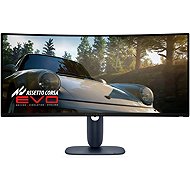
34" Dell Alienware AW3425DW
Ordered on request
622.90 €
Add to Cart

Marcel, Nová Paka
Rated 17/10/2026, variant 34" Dell Alienware AW3425DW
Verified purchase
I've been using it for a few days and so far, so good.
OLED
240 Hz
I don't have to get a second monitor
height-adjustable, tiltable
lovely design
0 ×Report
Automatic translation

BOBR BOhemia BRikety, Praha - Záběhlice
Rated 30/08/2026, variant 34" Dell Alienware AW3425DW
Verified purchase
This monitor was the winner for me. I tried a 27” and then this 34” and it's definitely fantastic! I recommend it for anyone, great brightness, it doesn't hurt my eyes, it's beautifully large, it solves the need for 2 monitors, it has a hole for cables in the stand (the 27” doesn't have this) and I definitely recommend it! Alza has a mistake in the description, it has a 0.03ms response time, not 0.3.
240Hz, size, pleasant display by default
easy to handle on the stand, can be tilted easily
You can't switch off the light on the back.

0 ×Report
Automatic translation

Customer, Praha 8
Rated 06/05/2026, variant 34" Dell Alienware AW3425DW
Verified purchase
Evaluation after 6 months.
stand that doesn't take up much space (see photo)
adjustable height
ideal size for me, probably subjective
colours (took me a while to get used to when switching from another monitor)
HDR
Price ratio: the performance is fine with me, someone might disagree
automatic pixel cleaning after switching off
maybe too small a bend for some
no speakers

0 ×Report
Automatic translation
Anonymous customer
Rated 14/03/2026, variant 34" Dell Alienware AW3425DW
Verified purchase
image
size
colours
contrast
design
10bit
0 ×Report
Automatic translation
Tomáš, Frýdek-Místek
Rated 09/02/2026, variant 34" Dell Alienware AW3425DW
Verified purchase
He's actually a very good monitor, just not the best oled for the price. In this price range (19500) you can find better monitors today
For those who don't like setting up monitors and playing with display settings
missing jack 3.5!
Price, for the price you get older OLED technology
0 ×Report
Automatic translation
Anonymous customer
Rated 21/01/2026, variant 34" Dell Alienware AW3425DW
Verified purchase
So far I am trying it on the 3rd day, I will change the review after a longer time. So far I have only a very positive opinion.
Very nice painting, beautiful colors
240hz is really noticeable
Super pixel refresh that takes place when the monitor is in standby
Super HDR settings
Deflection okay, neither too much nor too little
Price-performance ratio
For some, the minus may be the so-called. "Text fringing", but I can't notice it on my monitor at all, but someone may have it differently.
Some may not like the light reflecting off the monitor
Some people may be bothered by purple black when there is too much light in the room
The display can get dirty or scratched very easily (this is the case with every QD-OLED
0 ×Report
Automatic translation

Roman, Horní Domaslavice
Rated 17/01/2026, variant 34" Dell Alienware AW3425DW
Verified purchase - review from a price comparison website
Beautiful picture
Non-annoying pixel refresh
Weight
0 ×Report
Automatic translation

Richard, Trutnov 4
Rated 12/01/2026, variant 34" Dell Alienware AW3425DW
Verified purchase
OLED
240hz
0.3ms
Colours
Games with HDR complete cool atmosphere e.g. Le Mans Ultimate
In Escape from Tarkov flashing in the menu as the panel refreshes, not in the game anymore, it can be set to minimum (dark environment in the menu ). You can get used to it
0 ×Report
Automatic translation
Jiří, Olomouc
Rated 03/01/2026, variant 34" Dell Alienware AW3425DW
Verified purchase - review from a price comparison website
Picture perfect
Super reduced price
0 ×Report
Automatic translation

Jakub, Praha
Rated 27/12/2025, variant 34" Dell Alienware AW3425DW
Verified purchase
OLED has beautiful colours. mega change against VA
21:9 is a really cool resolution, but I was afraid for nothing.
240hz and 10bitb colour
easy installation and adjustment
shiny, I'm not used to that
0 ×Report
Automatic translation