
Reviews 31.5" Dell U3223QE UltraSharp
Interested in reviews of 31.5" Dell U3223QE UltraSharp? It got 4.6 out of 5 stars from our customers. Find specific customer reviews of 31.5" Dell U3223QE UltraSharp below. We will appreciate if you also share your experiences with 31.5" Dell U3223QE UltraSharp after purchasing.
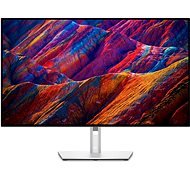
31.5" Dell U3223QE UltraSharp
Discontinued

Filip, Praha 10 - Vršovice
Rated 19/03/2025, variant 31.5" Dell U3223QE UltraSharp
Verified purchase
Overall, I'm quite satisfied with the monitors, compared to the previous setup 2x 27" NEC QHD it's a really big upgrade in almost everything-image, connectivity, design. But I would not buy or recommend them again because of the following: - one monitor started to have a connection failure and sometimes the signal drops out when the PC starts, which after a while either starts itself or the monitor needs to be disconnected and plugged in. From Dell's website, it seems to be a software bug and the driver upgrade helped temporarily, but after updating Windows the problem reappeared and I have to deal with it again. - the anti-reflective coating is really awful as others have mentioned. If it were a cheap gaming monitor, I wouldn't bother, but for a 23k monitor designed for productivity and visual creation, this seems like a pretty big minus. I have my desk with monitors in a shadowed corner (just because of the reflections) and I can still see my hands, keyboard, desk and whatever is on it quite clearly in the reflection at full brightness. If I had a light source behind or next to me, or even a sunny window, I might not be able to work on the monitor. The 2012 NECs had indescribably better reflection suppression.
Very good and sharp image
Enough connectivity options
Good USB speeds
Lovely design
Signal loss problems with one monitor
The reflections on the display are really bad.
One monitor had to be replaced due to rather uneven backlighting
0 ×Report
Automatic translation

Anonymous customer
Rated 16/11/2024, variant 31.5" Dell U3223QE UltraSharp
Verified purchase
Pekny obraz.
Dobra podpora pro mac.
Super servis.
4x reklamovano.
0 ×Report
Miroslav, Březina
Rated 05/11/2024, variant 31.5" Dell U3223QE UltraSharp
Verified purchase
I accidentally bought a Dell P3223QE before and was unhappy with the picture because according to the reviews it was supposed to be perfect for photo processing. But I got the labels wrong, this Dell U3223QE UltraSharp is in a completely different category! Awesome picture, laptop power, I have no reservations. Like, yeah, the camera and the lines would be good.
awesome image for photo processing
Charging your MacBook
peripheral speed
no speaker or camera
0 ×Report
Automatic translation

Ivan, Lány
Rated 21/10/2024, variant 31.5" Dell U3223QE UltraSharp
Verified purchase
Great monitor, very doporucuju
fantastic monitor
great design, thin frame
brightness, contrast, colours, sharpness
connectivity
0 ×Report
Automatic translation
Petr, Holešov
Rated 27/12/2023, variant 31.5" Dell U3223QE UltraSharp
Verified purchase
Ideal monitor for home work (net, office, programming and sometimes multimedia). Purchased after experience with 27" from work.
The USB HUB is 3.1, you can select in the menu whether you prefer image quality or USB speed, which is reflected when connecting a second 4K monitor to the pass-through display port
Enough USB
Next business day warranty 36 months for both individual and company (experience of working, they will send a replacement in advance, then send for the faulty one)
KVM (only briefly tested so far)
ethernet only 1Gbps, 2.5Gbps would be good (I'm using a USB card)
When connecting a 2nd 4K monitor to the output display port (primary connected via USB C) the USB no longer gives 3.1 speed but only 2.0, but that's not likely because it's just USB, a plural thunderbold would handle more. But this is probably a limitation of the NTB or the technology, I wouldn't take it as a negative.
For some, maybe not quite a good antireflective layer, but that's what others mention. In my setup, it's no problem.
Controls would be more practical on the underside or externally on the cable and not from the back

0 ×Report
Automatic translation

Oldřich, Lysá nad Labem
Rated 17/12/2023, variant 31.5" Dell U3223QE UltraSharp
Verified purchase
The built-in USB hub really comes in handy.
I also use it as a charger for my NTB.
A decent image to work with. The average user can play something on it, but it's not for faster gaming.
0 ×Report
Automatic translation

Jiří, Ústí nad Labem
Rated 20/10/2023, variant 31.5" Dell U3223QE UltraSharp
Verified purchase - review from a price comparison website
great performance at a reasonable price
0 ×Report
Automatic translation

Tomáš, Ždírec nad Doubravou
Rated 27/06/2023, variant 31.5" Dell U3223QE UltraSharp
Verified purchase
Nice, clean design
Large display area
Many connectors
High sRGB coverage
Anti-reflective surface
Simple control system and clear menu
The backlight does not seem to me quite even, respectively. the bottom left corner of the screen is a little shiny on a black screen


0 ×Report
Automatic translation
Antonín, Hradek nad Nisou
Rated 06/06/2023, variant 31.5" Dell U3223QE UltraSharp
Verified purchase
Decent quality
One USB-C Cable when connecting the MBP for both data and charging
Lots of ports
I changed my Dell for a Dell after 10 years (the original one still works)
4K is awesome
Pivot
Really stable stand.
KVM switch
Short USB cables
USB-C to USB-C is about 50 cm
USB-A to USB-C is also 50 cm
I'm switching from Ultrawide, so I'm going to have to get used to a different dimension
0 ×Report
Automatic translation
Company
Rated 21/04/2022, variant 31.5" Dell U3223QE UltraSharp
Verified purchase
Probably the best larger monitor for visuals, graphics, etc. If you are looking for a monitor for this purpose, such as the new MacBook Pro, you will also enjoy the integrated hub, which allows you to connect a lot of accessories, including Ethernet, etc., and connect it all from the monitor with a single USB-C cable (I use Thunderbolt 3 cable nowhere does the support work so) and you get 90W charging as well. I will not allow DELL monitors and it has been confirmed to me again that they are unrivaled for professional needs (as far as more expensive models are concerned). If you are looking for an alternative to the 2x more expensive and 5 “smaller Apple Studio Display, I can easily recommend this one.
Large and sharp image
HUB through which many accessories can be connected with one cable
1x USB-C and 1x USB-A (3.1? ) hidden accessible at the bottom of the monitor for quick connection of anything
Possibility to connect 2 PCs with one keyboard and mouse between which you can switch via the source in the menu so if you have 2 computers you do not have to have 2 keyboards, mice, etc.
PIP mode - you can have the monitor in half and have a PC on one half and another input on the other (only through HDMI it looks like)
Possibility of daisy-chain 2 of these monitors over each other so still only one cable out (so far it seems that with another monitor it unfortunately can' t)
The monitor is very large, so when you look at it up close, a few millimeters at the edge may darken slightly, but nothing that would be visible a lot.
Maybe it' s possible, I haven' t researched it so much yet, but it seems that if you want to connect another monitor that isn' t this model (such as a Wacom Cintiq tablet) you have to go directly to the PC because it doesn' t recognize it via HDMI, even if the pen works.
So far, I haven' t noticed much more important
0 ×Report
Automatic translation