
Reviews 27" Xiaomi G Pro 27Qi 2026
Interested in reviews of 27" Xiaomi G Pro 27Qi 2026? It got 4.8 out of 5 stars from our customers. Find specific customer reviews of 27" Xiaomi G Pro 27Qi 2026 below. We will appreciate if you also share your experiences with 27" Xiaomi G Pro 27Qi 2026 after purchasing.
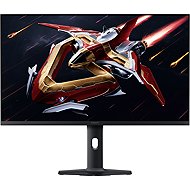
27" Xiaomi G Pro 27Qi 2026
On the way > 5 pcs
282.39 €
Add to Cart

Tomáš, Praha 3
Rated 04/09/2026, variant 27" Xiaomi G Pro 27Qi 2026
Verified purchase - review from a price comparison website
Good value for money (in terms of picture quality compared to the competition)
High resolution (for gaming, for working with text)
Even backlighting (on a dark screen, across the entire area)
0 ×Report
Automatic translation

Adam, Ostrava
Rated 30/06/2026, variant 27" Xiaomi G Pro 27Qi 2026
Verified purchase
Nothing under at least CZK 12,000 can match it. Personally, I can compare it with the BenQ ex2710u 4K. GtG under 4 ms and BtG under 7 ms. A slight IPS glow. Very thin frames, yet sturdy. Decent cooling; only lukewarm at 400 nit. Free from the drawbacks of OLED. HDR1000 for films. It’s quite an experience; you completely forget how small the screen is compared to a TV. TAKE CARE! Both local dimming and overdrive need to be adjusted depending on what you’re doing. This monitor isn’t for complete beginners. Then come the unfairly negative reviews. Even high-end monitors often don’t have automatic adjustment. All in all, an absolutely brilliant buy.
MiniLED
Colours
Adequate response
Processing
A power adapter for a mobile phone
Every piece is completely uniform
A-tier panel
MiniLED (not MicroLED, which costs hundreds of thousands)
The need to adjust the monitor settings on an ongoing basis

0 ×Report
Automatic translation
Anonymous customer
Rated 15/06/2026, variant 27" Xiaomi G Pro 27Qi 2026
Verified purchase
A sturdy and stable monitor stand that doesn’t take up too much space on a smaller desk
Space for cable management, so you can have a tidy setup
HDR and local dimming set to high – absolutely brilliant for the price
A simple menu that can be adjusted using the "joystick" on the back of the monitor
Easy to raise/tilt the monitor
Probably the best Mini-LED for the price
No red tint compared to the previous version
When HDR is enabled, you can’t adjust almost anything
It isn't possible to switch easily between your own setups; only presets are available.
When HDR was set to "AUTO", it didn't turn on in the games where I wanted it to. So you may need to disable HDR manually via the menu
0 ×Report
Automatic translation