
Reviews 27" Dell P2723DE Professional
Interested in reviews of 27" Dell P2723DE Professional? It got 4.9 out of 5 stars from our customers. Find specific customer reviews of 27" Dell P2723DE Professional below. We will appreciate if you also share your experiences with 27" Dell P2723DE Professional after purchasing.
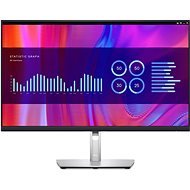
27" Dell P2723DE Professional
Discontinued

Miroslava, Praha 9 - Vysočany
Rated 17/07/2025, variant 27" Dell P2723DE Professional
Verified purchase
Great! My first Dell monitor in 5 years and it is excellent. I walked away from Dell because of declining product quality and more and more savings even in the higher ranges.
This monitor belies what Dell taught us years ago - it's just great, even includes all the necessary cables (which is important for USB-C charging), has a USB hub and a power adapter so there's only one cable going to your computer for everything - video, charging, data. It worked fine the first time, and is serving well. Would I buy it again? Yes. But probably not from Alza.
Includes all possible cables
Built-in spawn and mushroom
0 ×Report
Automatic translation

Vladimír, Praha
Rated 13/05/2025, variant 27" Dell P2723DE Professional
Verified purchase - review from a price comparison website
With dell monitors I have a long-standing good experience
Quality display in more than full HD.
Optimal screen size for me.
Somewhat clumsy menu navigation on the back of the screen.
0 ×Report
Automatic translation

Jakub, Praha
Rated 19/02/2025, variant 27" Dell P2723DE Professional
Verified purchase
Power delivery + daisy chain displays + internet via USB-C 3.2 gen 2 is an absolute god thing.
When I turn off the NTB connected via USB-C, the monitor still turns off even though it has a signal from the other PC via HDMI. The unused NTB needs to be disconnected.
Switching signal sources could be handled by a separate one-click button. I'm worried about the life of the joystick.
0 ×Report
Automatic translation

Petr, Praha 13
Rated 05/11/2024, variant 27" Dell P2723DE Professional
Verified purchase
charging and video via USB-C (resp. Thunderbolt)
fine image
looks good
0 ×Report
Automatic translation

Stavební bytové družstvo POKROK, Praha
Rated 31/10/2024, variant 27" Dell P2723DE Professional
Verified purchase - review from a price comparison website
Power to price ratio
0 ×Report
Automatic translation

Josef, Úvaly
Rated 07/02/2024, variant 27" Dell P2723DE Professional
Verified purchase
I am basically very satisfied. I have tried several monitors (Samsung, Philips, Dell) and I have to say that this model is absolutely fine.
Resolution
Power delivery 90W cool without having to limit brightness like Philips
Joystick
Possibility of power supply even in stand-by mode
Can do a nice daisy-chain (has DP out)
Stable stand and stable mounting - the monitor does not move
Shorter USB-C cable
No KVM
HDMI cable not included
0 ×Report
Automatic translation

David, Hodonín
Rated 09/10/2023, variant 27" Dell P2723DE Professional
Verified purchase - review from a price comparison website
Nothing yet.
0 ×Report
Automatic translation
Jakub, Kaznějov
Rated 16/08/2023, variant 27" Dell P2723DE Professional
Verified purchase
easy connection via usb-c
0 ×Report
Automatic translation

Petr, Ústí nad Labem
Rated 01/03/2023, variant 27" Dell P2723DE Professional
Verified purchase - review from a price comparison website
Retrieved from
if you want to connect the Notebook via USB-C and use Power and LAN, or have the possibility to have other USBs connected to the PC at the same time. If you require it, buy a P27 instead. preferring the U27 designation.
0 ×Report
Automatic translation

Patrik, Měšice
Rated 26/07/2022, variant 27" Dell P2723DE Professional
Verified purchase
I was looking for a suitable external monitor for my MacBook Air. After a weekend search on domestic and foreign websites, I found a useful article that states which monitors are compatible with MacBooks - only the resolution of the monitor is far from decisive, and if you want to transfer the image and size of icons and fonts 1:1, there are only a few monitors on the market that this is met - for retina quality basically only Apple monitors and LG 5K Ultrafine 27“ (for approx. 28 thousand CZK). I was primarily moving from a 22“ Eiza to a larger one and wanted a slightly sharper font. The font is the same, the area has increased, so I can enlarge my documents to the point where the font is acceptable (but retina is not, of course). So there is still a shock when the Macbook clicks when the eyes are reoriented from the Retina to the large non-Retina display. But the difference in the price of retina and non-Retina is a dizzying 20 thousand. CZK, which I don' t want to sacrifice for office work (95%). I regret that Alza and other stores do not list such an important parameter of the monitor, which is “ppi“, or the number of pixels per inch. This is the most important parameter for me when choosing a monitor. The chart I am attaching shows a simple guide for choosing an external monitor for MacBook. More commentary and advice on choosing the right external monitor for your MacBook can be found here: https://bjango.com/articles/macexternaldisplays2/ With the LG 5K Ultrafine, in addition to the price, I was bothered by the outlet of the power cable and inputs perpendicular to the back wall - it makes it impossible to place the monitor close to the wall and the mega consumption of electricity (over 100W).
it meets what I expected - an acceptable image
Vesa
inputs located so that the monitor can be attached to any bracket on the wall
unobtrusive design
quality corresponds to the price
all necessary cabling included in the package
the monitor works as a hub at the same time - connecting the laptop with one cable
RJ45 input
USB-C that also charges MacBook Air (2021 version without M1 chip)
a beautiful thin frame (to which “post-its“ have lost their frequent place. )
fast delivery (I had it the same day)
controls located on the back
right from the initial installation it chose Japanese, which now I don' t know how to change to English (unintuitive joystick control on the back)
missing CZ instructions
slower start from sleep - approx. 7 seconds
not so much compatible with Macbook (for example, brightness and sharpness must be adjusted via the monitor menu with controls located on the back of the monitor)
weak DELL support - for downloading drivers, the Dell website does not recognize access from MAC OS and offers an exe file intended for Windows to download. The link to the CZ instructions was still not working yesterday.


0 ×Report
Automatic translation