
Reviews 27" AOC U27G3X Gaming
Interested in reviews of 27" AOC U27G3X Gaming? It got 4.5 out of 5 stars from our customers. Find specific customer reviews of 27" AOC U27G3X Gaming below. We will appreciate if you also share your experiences with 27" AOC U27G3X Gaming after purchasing.
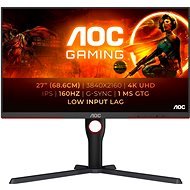
27" AOC U27G3X Gaming
Discontinued

Anonymous customer
Rated 04/07/2025, variant 27" AOC U27G3X Gaming
Verified purchase
Except for the cons, it works perfectly as expected
HDR sometimes works sometimes doesn't
The monitor temporarily flickers after changing the picture settings
0 ×Report
Automatic translation
Eliška, Zlín
Rated 24/06/2025, variant 27" AOC U27G3X Gaming
Verified purchase
Image quality
Trouble-free operation
It is not matte but only anti-reflective - but still it is ok
0 ×Report
Automatic translation

Jan, Kladno
Rated 23/03/2025, variant 27" AOC U27G3X Gaming
Verified purchase
The monitor has a fairly high rating, but the panel itself has a fairly strong IPS glow and my piece also had noticeable backlight bleed. The panel also makes your eyes hurt after a while, even at a relatively low brightness. Returned.
Quick panel
Almost no ghosting or overshoot
4K
10 bit is indeed reported as 10 bit and can be set even when using HDMI with HDR disabled
Not quite quality workmanship, looks cheap (like all AOCs)
The panel hurts the eyes even at low brightness
Fake HDR (what to expect for 11k)
Strong IPS glow and backlight bleed
0 ×Report
Automatic translation

Jakub, Aš
Rated 03/12/2024, variant 27" AOC U27G3X Gaming
Verified purchase
Total satisfaction. I got it with the PS5 PRO and for the money it's the best choice of 4K monitor for the console.
VRR and ALLM support
Design
Colours
Nothing
0 ×Report
Automatic translation
Anonymous customer
Rated 07/07/2024, variant 27" AOC U27G3X Gaming
Verified purchase
Color calibration only on the monitor was useless, the white color was strongly yellowish. After calibration in Windows, white colors can be achieved, but other aspects of the display do not match (perhaps more capable hands and eyes could adjust, or with some external calibration tool) When combined with a FHD monitor, you basically have to choose between the sharpness of some applications and the size of the interface. At 100% scale, everything is of course small. The G-Menu software is fine if it sends the changes to the monitor (the adjusted RGB did not appear on the monitor and must be set on the monitor.
Resolution
Frequency
Stability of the stand
Brightness in basic settings (it loses after color adjustment)
Color temperature (white is calibrated to warm. I prefer cold because when I look at something that should be white, it shouldn' t be yellow)
The monitor doesn' t disconnect when the button is turned off (that' s great), but it inexplicably disconnects when it' s turned on again
Dimensions of the stand
" Old" controls, you can easily replace the buttons. I definitely prefer the joystick
0 ×Report
Automatic translation