
65" Samsung WMFX
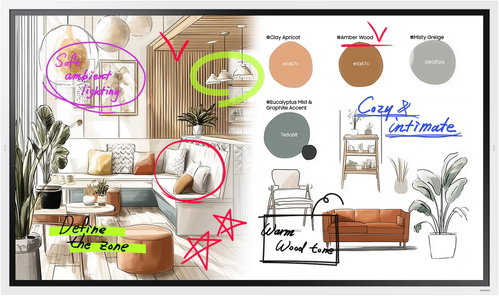

65" Samsung WMFX
65" Samsung WMFX large format display

The 65" Samsung WMFX large format display is an interactive digital flipchart designed for meeting rooms, training, presentations and team collaboration. It offers a 4K UHD resolution of 3840×2160px, touch controls and natural pen writing with a fast response time. The improved Whiteboard app lets you comfortably jot down notes, draw, edit content and share ideas directly on the large screen. The display supports wireless screen sharing, AirPlay 2, working with cloud services via Workspace, and Samsung Knox security. Its practical rotating design lets you use the screen in both portrait and landscape mode, while connectivity options including HDMI, USB, RJ45, Wi-Fi and Bluetooth make it easy to integrate into your business environment.

65"
screen size
3840×2160px
Resolution
VA panel
Display type
60Hz
Refresh rate
Key features of the 65" Samsung WMFX large format display
- Interactive digital flipchart for presentations, training and team collaboration
- 65" VA panel with 4K UHD resolution of 3840×2160px
- Touch control with natural writing and a fast 26ms response time
- Improved Whiteboard app for notes, drawing and content editing
- AI tool for converting hand-drawn shapes into cleaner graphics
- Wireless content sharing via SmartView+ and AirPlay 2
- Workspace for accessing remote PCs, cloud apps and network drives
- Anti-glare finish for better readability in well-lit rooms
- Rotating design for both portrait and landscape use
- HDMI, USB, RJ45, Wi-Fi and Bluetooth connectivity
- Samsung Knox security
- Supports Samsung VXT and SmartThings Pro for business display management
Natural writing, just like on a regular whiteboard
The Samsung WMFX offers a smooth and precise writing experience that feels just like using a classic pen. A fast 26ms response time and 2048 levels of pressure sensitivity help to accurately capture strokes, sketches and notes. For corrections, you can use the intuitive hand or palm erase function, so working on the board remains fast and natural.¹

Improved Whiteboard app
The Whiteboard app makes it easy to jot down ideas, draw diagrams and work with notes during meetings. You can edit, move and resize your created content without losing clarity. A handy AI tool can also convert roughly drawn shapes into cleaner, more professional-looking graphics, which is useful for creating diagrams, process maps and quick sketches.

Flip Home for quick access to your tools
The Flip Home screen keeps your frequently used apps and tools always at your fingertips. In one place, you can find Whiteboard, Note On, Workspace or screen sharing. The customisable bar gives you easy access to the features you use most often during meetings or training sessions.

Security with the Samsung Knox solution
The Samsung WMFX uses Samsung Knox security, which helps protect company content from unauthorised access and data leaks. This makes the display suitable for environments where you work with internal documents, business presentations or more sensitive materials.

Take notes anytime with Annotation On
The Annotation On feature lets you write notes directly over the content currently displayed. This means you can highlight part of a presentation, add a comment to a web page or explain a detail in a video without having to switch apps or take screenshots.

Multiple windows on one screen
Easy Multitasking helps streamline teamwork by letting you display multiple windows at once. On one screen, you can view documents, take notes or work with web content without constantly switching between different sources.

Wireless content sharing
With SmartView+, you can wirelessly share your screen from multiple devices and switch between them quickly. The feature supports Windows, Android and iOS devices, and lets you connect up to 9 devices. For Apple users, AirPlay 2 is also available, so you can display content from your iPhone, iPad or Mac without any cables or complicated setup.²

A large-screen workspace
Workspace gives you access to a remote PC, network drive or cloud applications like Microsoft 365. This lets you work with documents, presentations and company tools directly on the display during a meeting. Samsung Knox ensures the security of the workspace.³

Good readability even in well-lit rooms
The display offers a brightness of up to 450 nits without glass and has an anti-glare finish that helps to reduce distracting reflections. This keeps the content clearly visible even in meeting rooms with bright lighting or near windows.

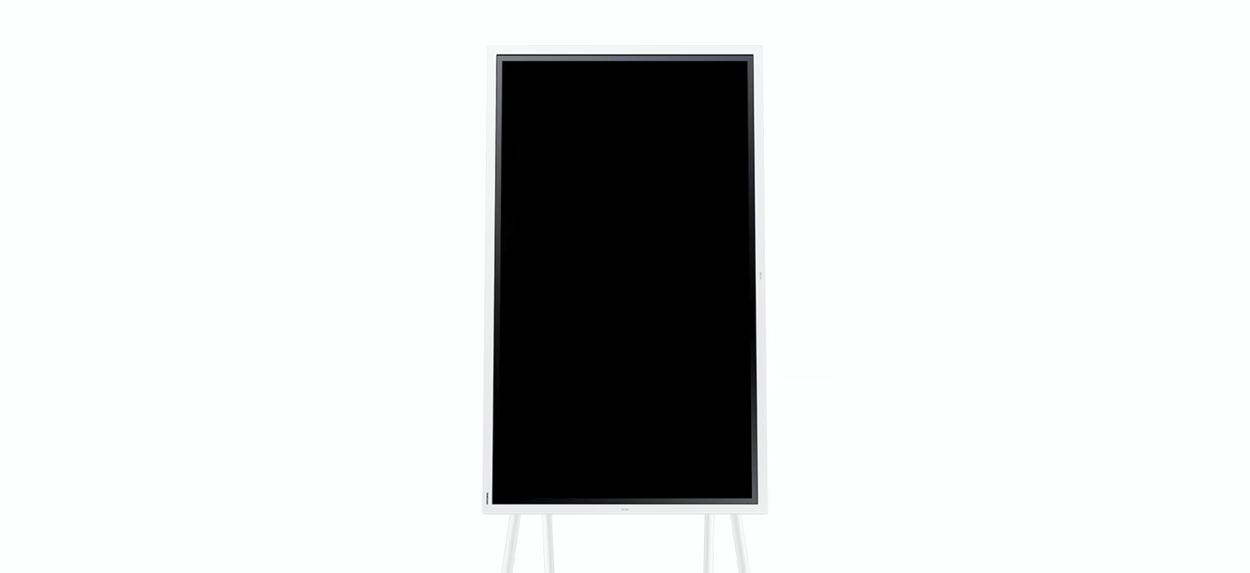
Samsung WMFX can be set to portrait or landscape depending on the type of work
The rotating design lets you use the Samsung WMFX in both portrait and landscape positions. Portrait mode is ideal for note-taking, brainstorming or mind-mapping, while landscape mode is practical for presentations, group discussions and working with documents.⁴

One connection for multiple devices
The integrated USB-C hub simplifies meeting preparation and work with external devices. With a single connection, you can share a camera or document camera between the Samsung WMFX and a connected computer, without having to constantly switch cables or delay the start of a presentation by setting up equipment.

Share the screen to another display or projector
Using HDMI Out, you can mirror the image from the Samsung WMFX to another large format display or projector. This is particularly useful in larger meeting rooms, classrooms or during hybrid meetings where the content needs to be clearly visible to all participants.

Samsung VXT for remote display management
The Samsung VXT cloud solution combines content management and remote device management. It allows you to remotely adjust display settings, resolve selected issues, and easily create and deploy content without extensive training.⁵

SmartThings Pro for a smart corporate environment
SmartThings Pro helps integrate Samsung digital signage into the wider corporate ecosystem of connected devices. The display can be part of an environment where you can control, monitor and automate lighting, buildings or other company technologies from a single platform.⁶
Technical specification
- Device type: Interactive large format display / digital flipchart
- screen size: 65"
- Panel type: VA
- Resolution: 3840×2160px
- Brightness: 450 nits without glass / 300 nits with glass
- Touch technology: IR
- Operating system: Tizen 9.0
- Internal memory: 64GB
- Operating mode: 12/7
- Connectivity: HDMI, USB, RJ45, RS232, Wi-Fi, Bluetooth
- Video output: HDMI Out
- VESA mount: 400×400mm
- Dimensions: 1522.4×897.6×62.9mm
- Weight: 39.7kg
- Bezel colour: Grey-white
- Operating temperature: 0–40°C
Package contents
- Samsung WMFX large format display
- Power cable
- User documentation

Colour gamut
Determines how accurately the monitor can display colours. sRGB is ideal for the web, films or games. DCI-P3/Adobe RGB will be appreciated by graphic designers or professionals. The higher the value, the better the monitor displays colours.
Maximum brightness
The value, given in nits or cd/m², determines the monitor's brightness level. Brightness above 400 nits is crucial for HDR content and readability in sunlight, while standard office monitors are fine with values over 250.
Refresh rate and response time
The refresh rate (Hz) determines the number of frames displayed per second, so the higher the value, the smoother the image and the less eye strain. A lower response time (ms) eliminates motion blur. 144Hz+ is ideal for gaming, while values around 75Hz are suitable for office monitors.¹ The 26ms and 2048 pressure levels data is based on Samsung product information. The actual writing experience may vary depending on the content, tool, and working method used.
² SmartView+ supports devices with Windows, Android, and iOS. The speed and stability of wireless sharing may vary depending on the network environment, settings, and the number of connected devices.
³ The Workspace service may be subject to restrictions based on the service provider's policies. For more stable remote PC operation in Windows, Samsung recommends Windows 11 Pro or newer.
⁴ The rotating design is available on 55" and 65" models. The stand is sold separately.
⁵ Samsung VXT is sold separately. Feature availability may vary by region, and the actual user interface may change without prior notice.
⁶ SmartThings Pro is sold separately. Feature availability may vary by region, and the actual user interface may change without prior notice.
Specifications
Display diagonal and resolution
Construction
Panel and screen technology
Backlight and colour
Connection
Features and functions
Dimensions and weight
Colour
| Code: | WS115f |
| Warranty: | 24 months |
| Links: | Producer's Website: |
| Manufacturer information |
Samsung Electronics Czech and Slovak, s.r.o., V parku 2323/14, Chodov, 148 00 Praha 4, 800 726 786, [email protected] Creating a better world – the immodest vision which has driven Samsung since its inception in 1938. The courage to invest in the development of new technologies is typical for the company, as evidenced by a series of visionary solutions. Currently, Samsung is the largest group of companies in South Korea and the third largest worldwide conglomerate by revenue. Samsung consumers associate the brand with high-quality consumer electronics. It is known for its Galaxy series, one of the best and most sought after mobile phones in its class. One must also mention Samsung TVs, where the company has long been at the cutting edge in technology and quality. The competence of the company is much broader. It is active in machinery and heavy industry, chemicals, construction, retail, and financial services. 
|